CSS – Aural Media
In CSS, “aural media” refers to the concept of styling content for audio or speech output devices. While it’s a less commonly used media type compared to screen or print, it’s essential for ensuring web content is accessible to individuals with visual impairments. Here are some key considerations for aural media in CSS:
- Speech Synthesis: Aural styles are designed to be read aloud by screen readers and other assistive technologies that convert text to speech. CSS properties like
voice-family,speak, andvolumecontrol how the content is spoken. - Pronunciation: Designers can use CSS properties like
cue,cue-before, andcue-afterto specify pronunciation cues for specific words or phrases, ensuring correct pronunciation. - Pause and Speed: CSS provides properties like
pause,pause-before,pause-after,speech-rate, andvoice-rateto control the pace and pauses in speech output, enhancing comprehension. - Voice Characteristics: CSS allows designers to define voice characteristics, such as pitch, pitch-range, stress, and richness, to make the spoken content more natural and engaging.
- Volume: The
volumeproperty lets designers adjust the volume of speech output to ensure it’s audible but not overwhelming. - Speech Generation: Using CSS, designers can generate speech for specific content, making it accessible to users who rely on screen readers or voice assistants.
- Language: Specifying the language of the content with the
langattribute ensures that the correct pronunciation rules are applied.
Example :
Aural media styles in CSS are used to control how content is presented when it is read aloud by screen readers or other assistive technologies. These styles are part of the CSS2 specification but are rarely used in modern web development due to advancements in screen reader technology and accessibility practices. Nevertheless, here’s a simple example of how aural styles can be applied in an HTML document:
<!DOCTYPE html>
<html>
<head>
<style>
/* Common styles for all media types */
body {
font-family: Arial, sans-serif;
font-size: 16px;
}
/* Styles for aural media using @media aural */
@media aural {
/* Specify voice and pitch properties for headings */
h1 {
voice-family: "Microsoft David Desktop - English (United States)";
voice-pitch: medium;
voice-volume: medium;
}
/* Specify voice properties for paragraphs */
p {
voice-family: "Microsoft Zira Desktop - English (United States)";
voice-pitch: low;
voice-volume: loud;
}
/* Remove background color and borders for aural media */
body {
background-color: transparent;
border: none;
}
}
</style>
</head>
<body>
<h1>CSS Aural Media Example</h1>
<p>This is a simple HTML document that demonstrates the use of CSS Aural Media styles. These styles are used to control how content is read aloud by assistive technologies.</p>
<p>Lorem ipsum dolor sit amet, consectetur adipiscing elit. Nullam at velit ac nunc auctor volutpat.</p>
</body>
</html>Code language: HTML, XML (xml)Output :
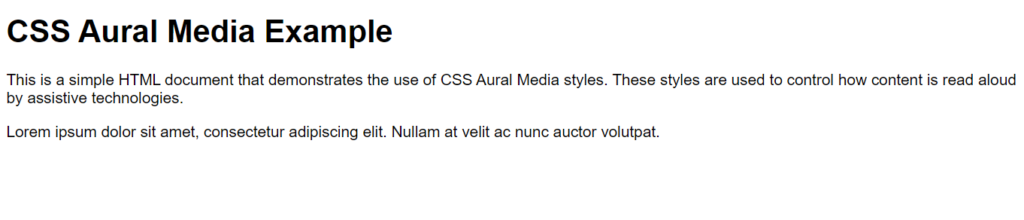
In this example:
- We have a basic HTML document with an
<h1>heading and paragraphs (<p>). - Inside the
<style>element, we define common styles for all media types, such as font family and font size. - We use the
@media auralrule to define styles specific to aural media, which is used when content is read aloud by assistive technologies like screen readers. Within this rule: - We specify the
voice-family,voice-pitch, andvoice-volumeproperties for headings (<h1>) and paragraphs (<p>). These properties define the voice characteristics used to read aloud the content. - We remove the background color and borders for the
bodyelement to ensure a clean presentation in aural media.
Please note that aural styles are rarely used in modern web development because modern screen readers and assistive technologies have evolved to interpret HTML and CSS more effectively. Accessibility best practices often rely on semantic HTML elements and ARIA (Accessible Rich Internet Applications) attributes rather than aural styles to convey information to users with disabilities.
Aural media styles are a vital component of web accessibility, making web content inclusive and accessible to individuals with visual impairments. By using CSS to control how content is presented in speech output, designers can ensure that everyone can access and understand the information on a website, regardless of their abilities or assistive technologies.
