JavaScript – Animation
Animation has become an integral part of modern web development, enhancing user engagement and interactivity. JavaScript, as a versatile scripting language, plays a significant role in creating dynamic and eye-catching animations on web pages. In this blog, we’ll dive into the world of JavaScript animation, exploring its fundamentals, libraries, and practical examples to help you breathe life into your web projects.
Why Use JavaScript for Animation?
JavaScript offers several advantages for web animation:
- Interactivity: JavaScript allows you to create animations that respond to user interactions, making your web pages more engaging.
- Control: You have precise control over the timing, sequencing, and behavior of animations, ensuring they align with your design vision.
- Compatibility: JavaScript animations work across different browsers and devices, providing a consistent user experience.
Basics of JavaScript Animation
Before we explore advanced techniques and libraries, let’s cover the basics of JavaScript animation.
1. Using setInterval() and requestAnimationFrame()
JavaScript provides two main methods for creating animations: setInterval() and requestAnimationFrame().
setInterval(): This method repeatedly calls a function at specified intervals, creating the illusion of animation. However, it’s less efficient thanrequestAnimationFrame()and may lead to janky animations.requestAnimationFrame(): This modern approach is optimized for smoother animations. It schedules a function to run before the next repaint, ensuring better performance and synchronization with the browser’s rendering.
2. CSS Transitions and Animations
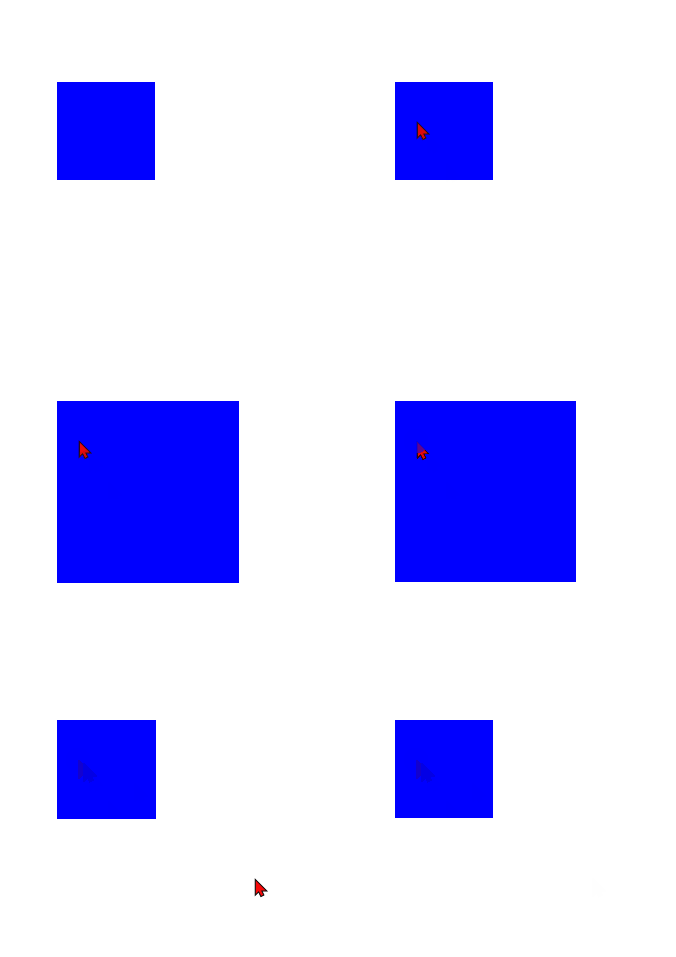
You can also create animations using CSS transitions and animations, which are often more efficient and easier to manage. JavaScript can trigger these animations by adding or removing CSS classes.
<style>
.box {
width: 100px;
height: 100px;
background-color: blue;
transition: width 0.5s, height 0.5s;
}
.box.animate {
width: 200px;
height: 200px;
}
</style>
<div class="box" id="myBox"></div>
<script>
const box = document.getElementById('myBox');
box.addEventListener('click', () => {
box.classList.toggle('animate');
});
</script>Code language: JavaScript (javascript)Output :
3. The Power of JavaScript Libraries
While it’s essential to understand the fundamentals, JavaScript libraries can significantly simplify the animation process. Two popular libraries for animations are GreenSock Animation Platform (GSAP) and Anime.js. Let’s take a quick look at GSAP:
Exploring GSAP for Advanced Animation
GreenSock Animation Platform (GSAP) is a robust JavaScript library that offers powerful tools for creating complex animations with ease. Here’s a simple example of how to use GSAP for animation:
<script src="https://cdnjs.cloudflare.com/ajax/libs/gsap/3.10.1/gsap.min.js"></script>

<div id="box"></div>

<script>
  const box = document.getElementById('box');

  gsap.to(box, {
    duration: 2,
    x: 200,
    rotation: 360,
    scale: 2,
    onComplete: () => {
      alert('Animation complete!');
    },
  });
</script>Code language: JavaScript (javascript)
Output :

In this example, GSAP animates the box element, moving it 200 pixels to the right, rotating it 360 degrees, and scaling it to twice its size over a duration of 2 seconds. You can also define callbacks to execute code when the animation completes.
Practical Example: Creating a Simple Animation
Now, let’s put our knowledge to the test and create a simple animation. We’ll animate a circle across the screen using GSAP:
<script src="https://cdnjs.cloudflare.com/ajax/libs/gsap/3.10.1/gsap.min.js"></script>
<style>
  #circle {
    width: 50px;
    height: 50px;
    background-color: red;
    border-radius: 50%;
    position: absolute;
    top: 50%;
    left: -50px;
  }
</style>
<div id="circle"></div>

<script>
  const circle = document.getElementById('circle');

  gsap.to(circle, {
    duration: 2,
    x: 'calc(100vw + 50px)',
    repeat: -1,
    ease: 'linear',
  });
</script>Code language: JavaScript (javascript)
In this example, we create a red circle and animate it from the left edge of the screen to the right edge repeatedly, creating a continuous animation effect.
Conclusion
JavaScript animation is a powerful tool for enhancing web interactivity and engagement. Whether you’re a beginner exploring basic animations or an experienced developer harnessing the capabilities of libraries like GSAP, animation can take your web projects to the next level.
Remember to strike a balance between creativity and performance when implementing animations, ensuring a smooth and delightful user experience. With the knowledge gained from this blog, you’re well-equipped to begin your journey into the captivating world of JavaScript animation.
Related posts:

Powered by YARPP.