Passing Props to a Component
In the world of web development, React has established itself as a powerful library for creating dynamic and interactive user interfaces. Central to ReactJs success is the concept of “props,” short for properties. Understanding how to Passing Props to components is fundamental to building flexible and reusable UI elements.
What Are Props?
In React, “props” are a way to pass data from a parent component to a child component. Think of them as parameters or attributes that you can provide when creating a component. These props are then used by the child component to determine its behavior or appearance.
Props are an essential part of React’s declarative approach to building user interfaces. They enable you to create dynamic and flexible components that can render different content based on the data passed to them.
Passing Props to a Component
Passing props to a component in React is a straightforward process. Let’s walk through the steps using a simple example.
Suppose you have a parent component called App, and you want to pass a name to a child component called Greeting. Here’s how you can do it:
// App.js
import React from 'react';
import Greeting from './Greeting';
function App() {
const name = 'John';
return (
<div>
<Greeting name={name} />
</div>
);
}
export default App;Code language: HTML, XML (xml)In this example, we’ve defined a constant name in the App component and passed it as a prop to the Greeting component. The syntax for passing props is similar to adding HTML attributes.
Now, let’s take a look at the Greeting component:
// Greeting.js
import React from 'react';

function Greeting(props) {
  return <h1>Hello, {props.name}!</h1>;
}

export default Greeting;Code language: HTML, XML (xml)
Output :
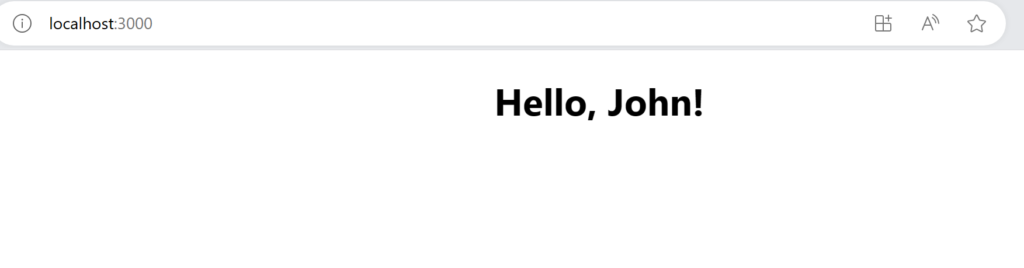
The Greeting component receives the name prop through its props parameter and uses it to display a personalized greeting. The curly braces {props.name} allow us to access the value of the name prop within the component.
This basic example demonstrates the concept of passing props from a parent component to a child component. The child component can then use the received props to render content dynamically.
Dynamic Content with Props
Props allow you to create dynamic content within your React components. You can pass various types of data as props, including strings, numbers, arrays, objects, and even functions. This flexibility enables you to build versatile components that adapt to different use cases.
Here’s an example of a more dynamic component that receives an array of names as props:
// ListOfNames.js
import React from 'react';

function ListOfNames(props) {
  const names = props.names;

  return (
    <ul>
      {names.map((name, index) => (
        <li key={index}>{name}</li>
      ))}
    </ul>
  );
}

export default ListOfNames;Code language: HTML, XML (xml)
In this component, we’re receiving an array of names through the names prop and rendering them as a list. The map function allows us to iterate through the array and generate a list item for each name.
Default Props
In some cases, you might want to provide default values for props in case they are not passed to a component. React allows you to define default props using the defaultProps property.
Here’s an example:
// Greeting.js
import React from 'react';

function Greeting(props) {
  return <h1>Hello, {props.name}!</h1>;
}

Greeting.defaultProps = {
  name: 'Guest',
};

export default Greeting;Code language: HTML, XML (xml)
Output :

In this modified Greeting component, we’ve set a default value of 'Guest' for the name prop using Greeting.defaultProps. If the name prop is not provided when using the Greeting component, it will default to 'Guest'.
Passing Functions as Props
Props can also be functions, allowing for interactivity and communication between components. This is especially useful for handling user interactions.
For example, let’s create a button component that receives a function as a prop to define its click behavior:
// Button.js
import React from 'react';

function Button(props) {
  return <button onClick={props.onClick}>{props.label}</button>;
}

export default Button;Code language: HTML, XML (xml)
In this Button component, we expect two props: onClick and label. The onClick prop is a function that will be called when the button is clicked. The label prop sets the text displayed on the button.
Now, let’s use this Button component in a parent component:
// App.js
import React from 'react';
import Button from './Button';

function App() {
  const handleClick = () => {
    alert('Button clicked!');
  };

  return (
    <div>
      <Button onClick={handleClick} label="Click Me" />
    </div>
  );
}
export default App;Code language: HTML, XML (xml)
Output :
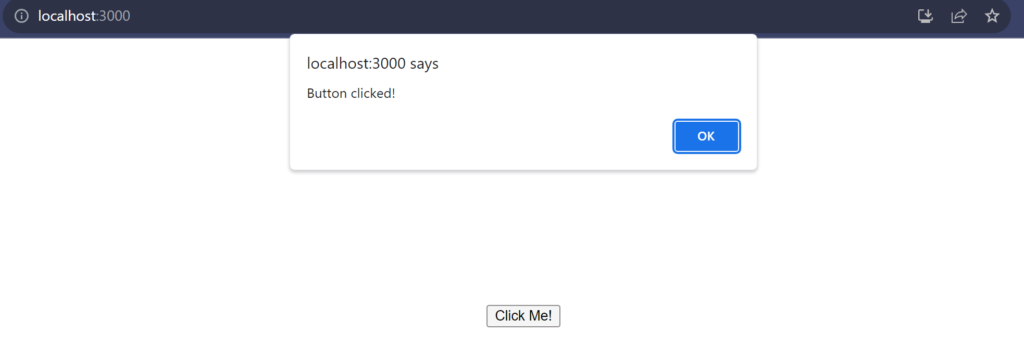
In this App component, we define a handleClick function, which displays an alert when the button is clicked. We pass this function as the onClick prop to the Button component, along with the label prop to set the button text.
One of the key benefits of using props in React is component reusability. By passing data and functions as props, you can create highly reusable and versatile components.
For instance, you can use the same Button component in different parts of your application, customizing its behavior and appearance through props. This reduces code duplication and simplifies maintenance.
Prop Validation with PropTypes
While React is flexible in terms of the data types you can pass as props, it’s good practice to validate and document the expected props for a component. React provides a package called prop-types for prop validation.
Here’s how you can use prop-types to validate the name prop in our Greeting component:
// Greeting.js
import React from 'react';
import PropTypes from 'prop-types';

function Greeting(props) {
  return <h1>Hello, {props.name}!</h1>;
}

Greeting.propTypes = {
  name: PropTypes.string.isRequired,
};

export default Greeting;Code language: HTML, XML (xml)
In this example, we’ve imported PropTypes from the prop-types package and defined Greeting.propTypes to specify that the name prop should be a string and is required.
Using prop-types enhances code reliability and serves as documentation for other developers who might work with your components.
Conclusion
Passing props to components is a fundamental concept in React that empowers you to create dynamic and reusable user interfaces. Whether you’re passing data, functions, or default values, props allow you to build versatile components that adapt to various use cases. Understanding how to pass and validate props is essential for becoming proficient in React development.
As you continue your journey in web development with React, props will become second nature, enabling you to craft interactive and modular user interfaces. So go ahead, experiment, and build amazing React applications with confidence, knowing you’ve mastered the art of passing props to your components!
Related posts:
 React State Management
Importing and Exporting Components
ReactJS – Installation
Mastering Conditional Rendering in React
Powered by YARPP.