Lesson 7 of 15 · 3 min
Styling in Next.js
Master Next.js styling with CSS-in-JS, modules, and frameworks like Tailwind CSS. Elevate your web development skills for visually stunning and…
On this page
In the dynamic field of web development, styling is still important, For user interfaces to be attractive and interesting. Developers have a wide range of options in Next.js for styling, each with unique advantages and applications. In the following section, we will look at three common styling techniques in next.js. Using CSS modules, CSS-in-JS with styled-components or Emotion, and integrating with CSS frameworks such as Tailwind CSS.
CSS-in-JS with styled-components or Emotion:
CSS-in-JS has grown in popularity, Because it can represent styles, increasing component independence and decreasing the possibility of style issues.
styled-components:
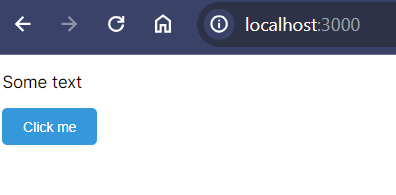
Styled-components enables you to write actual CSS directly in your JavaScript files, Using tagged template terms. This method supports the development of stylish elements that combine form and function.
npm install --save styled-componentsExample :
import styled from 'styled-components';

const StyledButton = styled.button`
  background-color: #3498db;
  color: #fff;
  padding: 10px 20px;
  border: none;
  border-radius: 5px;
  cursor: pointer;

  &:hover {
    background-color: #2e87c2;
  }
`;

const MyComponent = () => {
  return (
    <div>
      <p>Some text</p>
      <StyledButton>Click me</StyledButton>
    </div>
  );
};
Output :
Emotion :
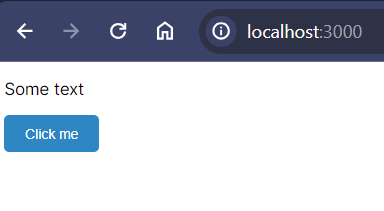
Emotion is another CSS-in-JS library with the goal to deliver a high-performance developer experience with features like automatic vendor prefixing and source maps.
npm install @emotion/core @emotion/styledExample :
/** @jsxImportSource @emotion/react */
import { css } from '@emotion/react';

const buttonStyle = css`
  background-color: #3498db;
  color: #fff;
  padding: 10px 20px;
  border: none;
  border-radius: 5px;
  cursor: pointer;

  &:hover {
    background-color: #2e87c2;
  }
`;

const MyComponent = () => {
  return (
    <div>
      <p>Some text</p>
      <button css={buttonStyle}>Click me</button>
    </div>
  );
};
Output :
Using CSS Modules:
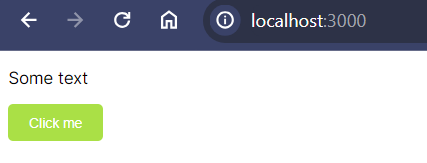
CSS Modules provide a way to locally scope styles, ensuring that class names are unique to a specific component. This supports flexibility and simplifies the possibility of global style issues.
Example :
// File Name : styles.module.css:

.button {
  background-color: #3498db;
  color: #fff;
  padding: 10px 20px;
  border: none;
  border-radius: 5px;
  cursor: pointer;
}

.button:hover {
  background-color: #2e87c2;
}
// Component Name : MyComponent.js

import React from 'react';
import styles from './styles.module.css';

const MyComponent = () => {
  return (
    <div>
      <p>Some text</p>
      <button className={styles.button}>Click me</button>
    </div>
  );
};
Output :
Integrating with CSS frameworks like Tailwind CSS:
Using the help of low-level utility classes, you can build designs directly into your HTML using Tailwind CSS, a utility-first CSS framework. It’s easy to integrate Tailwind CSS with Next.js, which can greatly
speed up the styling process.
Installing Tailwind CSS
First, install Tailwind CSS and its dependencies:
npm install tailwindcss postcss autoprefixer
Configuring Tailwind CSS
Create a tailwind.config.js file in your project’s root and configure it:
// tailwind.config.js
module.exports = {
  content: [
   './src/app/**/*.{js,ts,jsx,tsx}',
    './src/pages/**/*.{js,ts,jsx,tsx}',
    './src/components/**/*.{js,ts,jsx,tsx}',
  ],
  // other configurations...
};
Creating Styles with Tailwind CSS
Exmaple :
import React from 'react';

const MyComponent = () => {
    return (

        <div className="bg-blue-500 text-white p-5">
            <h1 className="text-3xl font-bold">Welcome to My Tailwind CSS App</h1>
            <p className="mt-3">Start building your awesome project!</p>
        </div>

    );
};

export default MyComponent;
Output :

The utility-first design of Tailwind CSS enables quick development while maintaining flexibility.
Conclusion
Next.js provides a versatile environment for styling your React applications. Whether you use CSS-in-JS with styled-components or Emotion, CSS Modules, or interact with CSS frameworks like Tailwind CSS, the objective is to find a solution that meets the needs of your project and your personal style. Each styling approach has its strengths and use cases, so feel free to experiment and discover which one aligns best with your development workflow.
More from Next.js Tutorial
- Lesson 9 · 3 minAuthentication in Next.jsIntroduction: A crucial component of web development is authentication, which ensures users’ individualized and safe experiences. Implementing user…
- Lesson 10 · 4 minState Management in Next.JsMaster state management in Next.js with React Context and external libraries. Learn to share state seamlessly for dynamic and responsive web…
- Lesson 11 · 6 minRouting and NavigationIntroduction : In the world landscape of web development, Next.js has appear as a powerful framework for building React applications. One of its key…